How to Plan a Livestream That Doesn't Feel Overly Scripted
 Cordelia Cross
Aug 8, 2026 02:57
0
Cordelia Cross
Aug 8, 2026 02:57
0
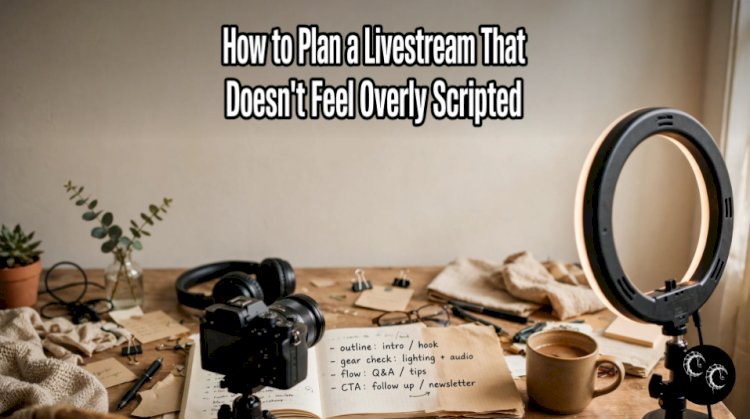
There is a special kind of magic in a livestream that feels like hanging out with a friend. The conversation flows naturally, little surprises happen along the way, and even the occasional awkward pause feels human rather than disastrous.
But if you have ever gone live yourself, you know that looking relaxed on camera is not always as easy as it seems. You might worry about forgetting what to say, running out of topics, or leaving an uncomfortable silence while everyone watches.
The solution is not to abandon planning altogether. It is to plan in a way that gives you structure without taking away your personality.
A great livestream has a direction, a few reliable talking points, and enough flexibility for spontaneous moments. Think of it less like performing a memorized speech and more like hosting a conversation where you happen to have a camera turned on.
Here is how to prepare for a livestream that feels organized, engaging, and genuinely you.
1. Decide What You Want Your Livestream to Feel Like

Before writing an outline or setting up your camera, decide what kind of experience you want viewers to have.
Are you creating a relaxed chat where people can get to know you? Teaching a skill? Sharing a hobby, discussing books, showing a creative process, or answering audience questions?
Your goal will influence everything from the opening to the pace of the stream.
For example, a casual gaming livestream might feel playful and unpredictable, while a craft demonstration benefits from a little more structure so viewers can follow each step. A question and answer session may need a prepared list of prompts in case the chat is quiet.
Try finishing this sentence before you plan anything else:
"I want people watching this livestream to feel..."
Your answer might be entertained, welcomed, inspired, informed, or included.
Keep that feeling in mind as you prepare. It becomes a useful guide when deciding which topics belong in the stream and which details you can leave out.
You do not need a complicated concept. Sometimes, the strongest idea is simply spending an hour chatting about something you genuinely enjoy.
2. Create an Outline Instead of a Full Script
One of the easiest ways to make a livestream sound overly rehearsed is to write every sentence in advance and then try to deliver it word for word.
A full script can be useful for specific announcements or technical presentations, but casual livestreams often benefit more from a flexible outline.
Instead of writing a paragraph about everything you plan to say, create a short list of topics and reminders.
For example, if you are hosting a cozy evening livestream about your favorite books, your outline might look like this:
-
Welcome viewers and introduce the evening's theme.
-
Share what you have been reading lately.
-
Talk about three favorite books.
-
Ask viewers what they are currently reading.
-
Answer questions and respond to comments.
-
Finish with a few recommendations and a friendly goodbye.
That is enough to provide direction without forcing you to follow a rigid sequence.
You can keep your outline on a notebook page or a small document near your camera. Use short phrases rather than complete sentences so you are reminded of the topic instead of tempted to read aloud.
Think of your outline as a map. It shows you where you are going, but you can still take a scenic detour when something interesting comes up.
3. Prepare Talking Points, Not Memorized Lines

Even with a flexible outline, it helps to prepare a few details for each topic.
Imagine that you are going live to discuss your favorite hobby. Writing "my collection" on your notes might not be enough to jog your memory once the camera is on.
Instead, write three short prompts:
-
How the hobby started.
-
The item or experience you enjoy most.
-
Something surprising you learned along the way.
Each prompt gives you a natural starting point for conversation.
You can also prepare a few stories, examples, or questions that help bring each subject to life. Personal anecdotes are particularly useful because they give you something specific to talk about without sounding like you are delivering a presentation.
For instance, rather than simply explaining why you enjoy collecting vintage books, you could describe the unexpected secondhand shop discovery that made you interested in them.
Details make a livestream feel personal. They also help viewers connect with you beyond the basic information you are sharing.
The important thing is to use your notes as reminders, not rules. If a topic takes you somewhere unexpected, let the conversation develop naturally.
4. Plan Your Opening, Then Let the Conversation Breathe
The first few minutes of a livestream can feel intimidating. You are watching the viewer count, checking the chat, and wondering how to begin without sounding awkward.
Preparing a simple opening can take some of that pressure away.
You do not need a dramatic introduction or a perfectly polished speech. A friendly greeting and a clear explanation of what you are doing are usually enough.
For example:
"Hey, everyone! I'm glad you're here. Tonight, I thought we'd have a relaxed chat about the books we've been loving lately. I've got a few favorites to share, but I'd also love to hear what you've been reading."
That introduction gives viewers a reason to stay while leaving plenty of room for conversation.
If your audience usually takes a little while to arrive, have a low pressure opening topic ready. You could explain what inspired the stream, show what you are working on, or share a quick story related to the theme.
You do not have to fill every second with important information. A little warm up time can make the stream feel more comfortable for you and the people joining.
Once you have welcomed viewers and established the topic, allow yourself to settle into your natural speaking rhythm.
5. Build in Moments for Audience Interaction

A livestream feels different from a recorded video because viewers have the opportunity to participate while the conversation is happening.
You do not need to turn the entire stream into a question and answer session, but a few invitations to interact can make people feel included.
Try asking questions that are easy to answer and relevant to your topic.
For example:
-
"What are you all working on today?"
-
"Have you tried this before?"
-
"Which option would you choose?"
-
"What's something you've been enjoying lately?"
-
"Does anyone have a recommendation for me?"
Open ended questions can lead to interesting conversations, while simple either or questions are useful when you want quick responses.
It also helps to prepare a handful of backup questions in case the chat is quiet.
Just remember that viewers may be watching while doing something else, or they may prefer listening without commenting. A quiet chat does not automatically mean people are bored.
Keep talking about your topic, share your own thoughts, and give viewers opportunities to join in without making participation feel like a requirement.
6. Leave Space for Spontaneous Moments
One of the biggest differences between a natural livestream and an overly scripted one is how much room there is for unexpected things to happen.
Maybe someone asks an interesting question. Perhaps you remember a funny story halfway through explaining something. Or your demonstration takes an unexpected turn.
These moments can make a stream memorable because they feel genuine.
When planning your outline, avoid filling every minute with a separate talking point. If you expect to stream for an hour, you do not necessarily need sixty minutes of prepared material.
Instead, choose a few main topics and let the conversation expand around them.
You can also create intentional flexibility by planning a shorter activity or leaving a section open for questions. That gives you somewhere to go if the conversation moves quickly.
Of course, not every spontaneous moment will be brilliant. Sometimes you will stumble over your words, forget a detail, or laugh at something that makes sense only to you.
That is fine.
You can pause, collect your thoughts, and continue. Viewers generally do not need you to be perfect. They need you to be present and engaged with what you are doing.
7. Practice Without Rehearsing Every Word
There is a difference between becoming comfortable with your material and trying to memorize an entire livestream.
Practicing your opening, reviewing your outline, and checking your equipment can make you feel more confident. Repeating every sentence until it sounds identical each time can have the opposite effect.
Try talking through your main topics out loud before you go live. You might do this while walking around your room, sitting at your desk, or explaining the subject to a friend.
Pay attention to any sections where you struggle to explain an idea. Those are the places where a little extra preparation may help.
You can also record a short practice clip and watch it back. Look for practical improvements rather than criticizing every gesture or change in your voice.
Are you speaking clearly? Are you rushing? Is the camera positioned comfortably? Are you looking at your notes so often that you lose connection with the camera?
Choose one or two things to improve at a time.
The goal is not to become a flawless presenter. It is to become comfortable enough with your material that you can focus on the experience instead of worrying about what comes next.
8. Give Yourself a Backup Plan for Awkward Silences

Even experienced streamers sometimes run out of things to say. A topic ends earlier than expected, the chat goes quiet, or a technical delay interrupts the conversation.
Having a few backup options can help you recover without making the entire stream feel rehearsed.
Create a short list of flexible prompts you can return to whenever you need them.
These might include:
-
A recent discovery related to your topic.
-
A mistake you made and what you learned from it.
-
A recommendation for viewers.
-
A behind the scenes detail.
-
A question you have always wanted to ask your audience.
-
A small demonstration or activity you can do on camera.
You can also keep a few interesting facts or personal stories ready to go.
If you are doing a craft livestream, for example, you could talk about how you chose your materials, show a detail you particularly like, or explain an alternative method.
If you are hosting a casual chat, you could introduce a new conversation topic or discuss something you have been looking forward to.
Most importantly, do not panic when a silence happens. Take a sip of water, check your notes, or give yourself a moment to think.
A short pause is not a disaster. It is simply part of having a real time conversation.
9. Keep Your Setup Comfortable and Uncomplicated
Your livestream can have a wonderful atmosphere without an elaborate studio.
In fact, spending too much time perfecting the background can distract you from the experience you are trying to create.
Start with the basics: reliable internet, clear audio, a stable camera, and lighting that allows viewers to see you comfortably.
Position your camera at a natural angle, keep your notes within easy reach, and make sure your chair and desk are comfortable enough for the length of the stream.
If you enjoy a particular aesthetic, add a few details that reflect it. A desk lamp, a plant, a favorite book, or a tidy display can make your setup feel personal without requiring a complete makeover.
Do a quick technical check before going live. Test your microphone, confirm that your camera is working, and close any unnecessary applications or notifications that might interrupt the stream.
Then stop adjusting everything.
It is easy to spend so much time tweaking the lighting, moving decorations, or changing camera settings that you forget why you wanted to stream in the first place.
A comfortable, reliable setup is usually more valuable than a perfect background.
10. Let Your Personality Shape the Experience

You do not need to copy the style of your favorite streamer to create an enjoyable livestream.
Maybe you are naturally energetic and talkative. Perhaps you have a quieter personality and prefer thoughtful conversations. You might enjoy dry humor, detailed explanations, or telling stories about everyday experiences.
All of those styles can work.
Instead of trying to adopt someone else's mannerisms, think about what makes conversations with you enjoyable in real life.
Do you ask interesting questions? Do you explain complicated things clearly? Do you make people laugh? Are you good at noticing little details that others overlook?
Bring those strengths into your livestream.
It is also fine to let your personality come through in small, imperfect ways. You do not have to eliminate every nervous laugh, stumble, or moment of uncertainty.
The more you focus on connecting with your viewers rather than evaluating your own performance, the easier it becomes to sound natural.
And remember that your on camera personality does not need to be exactly the same as your personality with close friends. You can be yourself while still choosing a comfortable hosting style that suits the setting.
11. Finish With a Clear but Casual Ending
Endings can feel surprisingly awkward, especially when you are unsure whether to keep talking or whether everyone has finished watching.
A little preparation helps here too.
Think of one or two things you want to mention before wrapping up. You might summarize a useful takeaway, thank viewers for spending time with you, or let them know what you are planning to do next.
For example:
"Thanks for hanging out with me tonight! I loved hearing your recommendations, and I'm definitely adding a few of those books to my list. I'll see you next time, and I hope you all have a lovely evening."
That is enough. You do not need a lengthy closing speech.
If you plan to stream regularly, you can mention when you expect to be back, provided you are reasonably confident about the schedule. If not, simply thank your audience and end on a friendly note.
A relaxed ending gives the stream a sense of completion without making it feel like a formal presentation.
A Simple Livestream Planning Template
If you want an easy way to put these ideas into practice, use the following outline before your next stream.
1. The theme
What is the main topic or activity?
Choose one central idea to guide the stream.
2. The opening
What will you say in the first few minutes?
Prepare a greeting and one sentence explaining what viewers can expect.
3. Three talking points
What are the main things you want to cover?
Write short reminders, not complete paragraphs.
4. Audience questions
How can viewers participate?
Prepare two or three easy questions or conversation starters.
5. A backup topic
What can you discuss if the conversation slows down?
Keep one story, demonstration, or extra topic ready.
6. The ending
How will you wrap things up?
Plan a simple thank you and a natural sign off.
This outline gives you enough structure to feel prepared while leaving plenty of room for the unexpected.
Final Thoughts
Planning a livestream that feels natural is really about finding the right balance between preparation and flexibility.
Know what you want to talk about, keep a few useful reminders nearby, and make sure your setup is ready before you begin. Then give yourself permission to follow an interesting conversation, respond to your audience, and let your personality come through.
You do not need to fill every second, deliver perfect sentences, or make every moment entertaining. Some of the most enjoyable livestreams are the ones where the host seems genuinely interested in the topic and comfortable sharing the experience with others.
Think of your plan as a safety net, not a script you must obey.
When you know where you are starting and roughly where you want to finish, you can relax enough to enjoy everything that happens in between.