Optimizing Store Layout for Maximum Efficiency in Supermarket Simulator
 Cordelia Cross
Mar 11, 2026 05:38
0
Cordelia Cross
Mar 11, 2026 05:38
0
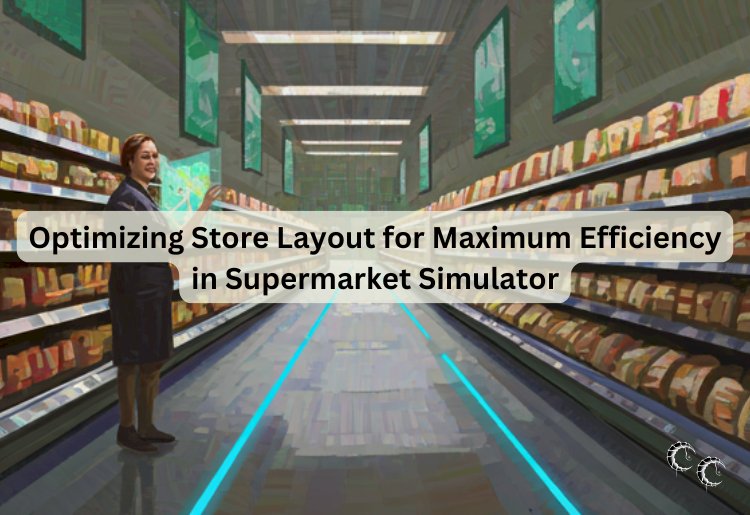
Managing a thriving shop in Supermarket Simulator is not about real world retail theory. It is about understanding game mechanics, customer AI behavior, and how to squeeze maximum profit out of every in game hour. The difference between a struggling corner store and a high performing retail empire often comes down to layout optimization.
Efficiency in this simulation is measurable. Faster customer flow means more completed purchases per day. Smarter shelf placement means fewer wasted restocking runs. A clean layout means smoother scaling as demand increases. If you want consistent growth, your floor plan must work as hard as you do.
Design Around AI Movement Patterns
Customer behavior in Supermarket Simulator follows predictable logic. Shoppers enter, search for items, navigate toward shelves, queue at registers, and exit. If your layout creates confusion or congestion, transactions slow down.
Place popular essentials deeper inside the store. This forces customers to pass additional shelves, increasing exposure to other products. However, avoid creating maze like corridors. Simple, readable pathways keep AI movement smooth and prevent bottlenecks.
Wide central aisles with narrower side aisles tend to work well. The main path acts as a traffic artery while secondary aisles handle browsing.
Eliminate Bottlenecks Early
Crowding near checkout is one of the most common efficiency killers in the game. When customers stack up and block each other, the store feels chaotic and turnover slows.
To fix this:
• Leave clear space around registers
• Avoid placing promotional shelves directly beside checkout lanes
• Keep entrance areas open to prevent initial clustering
• Spread high demand items across longer shelves instead of corners
The smoother the flow, the more transactions you complete before closing time.
Shelf Logic And Restocking Efficiency
Restocking takes time. Time limits daily earnings. Organize shelves so high turnover items sit closer to your storage access point. This reduces travel time during busy periods.
Group similar items together. Logical categorization makes it easier to track what needs refilling. Avoid scattering frequently purchased goods across opposite ends of the store. Efficiency compounds when you cut unnecessary movement.
Think like a speedrunner. Every extra step is lost profit.
Optimize Checkout Strategy
In early game phases, you often operate the register yourself. Position it so you have a clear view of incoming customers and shelf stock levels. This allows you to anticipate rushes and restock during slow windows.
As profits increase, adding additional registers before queues become unmanageable maintains momentum. Waiting too long to expand checkout capacity caps your revenue ceiling.
Use Layout To Encourage Larger Baskets
Impulse buying mechanics exist within the game’s AI behavior. Customers exposed to more shelves are more likely to add extra items. Position complementary products along shared aisles. For example, place snacks near drinks or cleaning supplies near household goods.
Do not overcrowd shelves. Clear spacing improves readability and speeds customer decision making. Efficient shopping equals faster line turnover.
Scale With Structure
When expanding the store footprint, avoid random placement of new sections. Plan zones. Create dedicated areas for dry goods, refrigerated items, or specialty categories. Structured growth keeps navigation intuitive even as inventory multiplies.
Expansion without planning leads to chaotic layouts that require constant repositioning later. Build with the endgame in mind.
Back Room Organization Matters
Even though customers never see it, your storage room directly impacts efficiency. Keep pathways clear. Place high volume stock near the door. Stack boxes logically.
Fast restocking during peak hours keeps shelves full and prevents lost sales from empty displays. A disorganized stockroom slows everything down.
Monitor, Adjust, Improve
Optimization in Supermarket Simulator is not a one time task. Watch how customer traffic evolves as you unlock new products. If certain shelves remain underused, reposition them. If congestion increases, widen walkways or relocate displays.
Small adjustments can dramatically improve daily revenue totals. The most successful virtual store owners treat layout like a living system rather than a finished design.
Final Word
Supermarket Simulator rewards strategic thinking. By designing around AI movement, minimizing bottlenecks, organizing restocking routes, and scaling intentionally, you transform your shop into a high efficiency profit engine.
The difference between average and elite performance is not luck. It is layout.